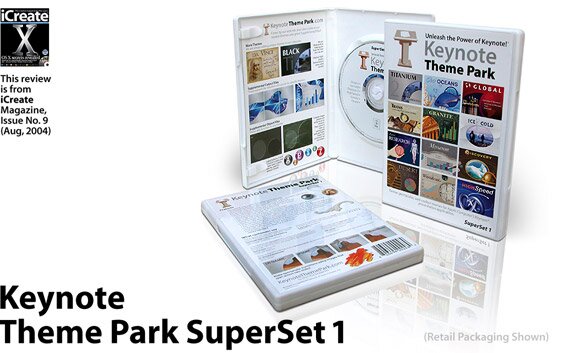
Review
Creating great presentations with Keynote Theme Park’s SuperSet
1 Installing the themes from the CD is simple. Just run the installer and all the themes will be automatically installed into Keynote. If you need to import any extras, such as bullet points, you can import them from the ‘User’, ‘Library’, ‘Application Support’, ‘Keynote’ folder.
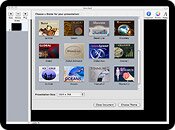
2 In order to showcase the themes of Keynote Theme park it has created its own Keynote presentation. Make sure you watch this before using a theme because not only can you see the best bits of each theme, but you’ll also pick up some useful tips.
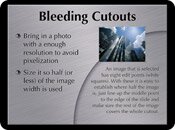
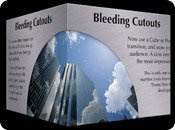
3 Many of the slides included with each theme have been cleverly constructed to allow you to be creative with transitions. The slides pictured here, for instance, allow you to carry a picture or graphic over from one slide to the next.
What’s good: The best designed themes out there, comprehensive in nature, extends Keynote’s existing range.
What’s bad: Only hardcore Keynote users will be able to justify spending the money.
Overall – 80%
Can Keynote Theme Park make up the shortfall?
We love Keynote here at iCreate. Apple’s presentation software has freed us from the horrors of Microsoft’s Power Point application (okay, so it was never that scary, it’s just that is was the sort of program Windows people use) and given us the tools we need to create stylish and slick presentations, just like the ones Steve Jobs uses to wow the audience at his famous Keynote speeches. When we reviewed Keynote back in issue three, however, we noted that one of its downfalls was the rather paltry number of themes (12) that came supplied. Fortunately, this has spurred third party developers on to create and market their own theme collections and Keynote Theme Park’s Super Set 1 has arrived to provide a timely solution.
Installing Keynote Theme Park SuperSet 1’s collection of 12 professional-designed themes will double the amount of options in your presentation arsenal and hopefully give you exactly what you need to ensure that your presentation continues to stand out from the crowd. Unlike the themes that come with Keynote there are far more slides and options present in these themes that should enable you to build powerful and visually dynamic presentations much quicker and easier than ever before, especially if you follow the tips included on the demo presentation, which reveal some of the developer’s secrets for creating winning slideshows.
Each theme in this collection has been beautifully crafted from high quality graphics and stylish typefaces. Better still, there’s no performance penalty. Each theme has been created with a watchful eye on ‘bloating’, which means that there’s rarely any lag on lower specification machines, like the older G3 iBooks. Of course, there’s no use having themes if they aren’t suitable for, well, different themed presentations. To that end the SuperSet includes heavily themed offerings like the Medical flavoured ‘Research’ theme, which is perfect for scientific slideshows, along with more universally suitable themes like ‘Desert’. To ensure that your presentation goes with a bang, there’s also a large collection of ‘Extras’, which include new backgrounds, chart fills and ‘PowerFills’ for each theme.
Many themes included in the SuperSet have 28 master slides, while the fewest number of slides you’ll get with a theme is 18. Each of these slides have been very creatively and thoughtfully designed to allow you to do exciting things like carry images over from one slide to another in what Keynote Theme park calls “connecting photo cutouts’ and employ translucent backgrounds to fade images in gradually. In fact, the developer has clearly got a penchant for stylish transitions, because many of the slides are tiled, making it possible to bring both consistency and impact to push transitions.
The only major gripe we’ve got with this collection of themes is that at $99, it seems a touch expensive. Especially when you consider that this is the same price as Keynote itself, which also comes with 12 transitions. It’s true that the themes present in the Keynote Theme Park SuperSet are far more comprehensive and professional than the somewhat limited themes bundled with Keynote – and the price point is very competitive when compared with rival products – but not everyone will need slides and templates that are more advanced than those included with Keynote.
Ultimately, what separates the SuperSet from the existing Keynote themes is that the templates and slides included allow the user to create far more advanced presentations. This is undoubtedly a good thing and Keynote power users will lap it up, but it could also limit the developer to an audience that consists solely of business professionals. If you’re having difficulty deciding whether to splash the cash or not, we recommend that you download the free themes from the Keynote Theme Park Web site and see if the quality meets your expectations before parting with $99.